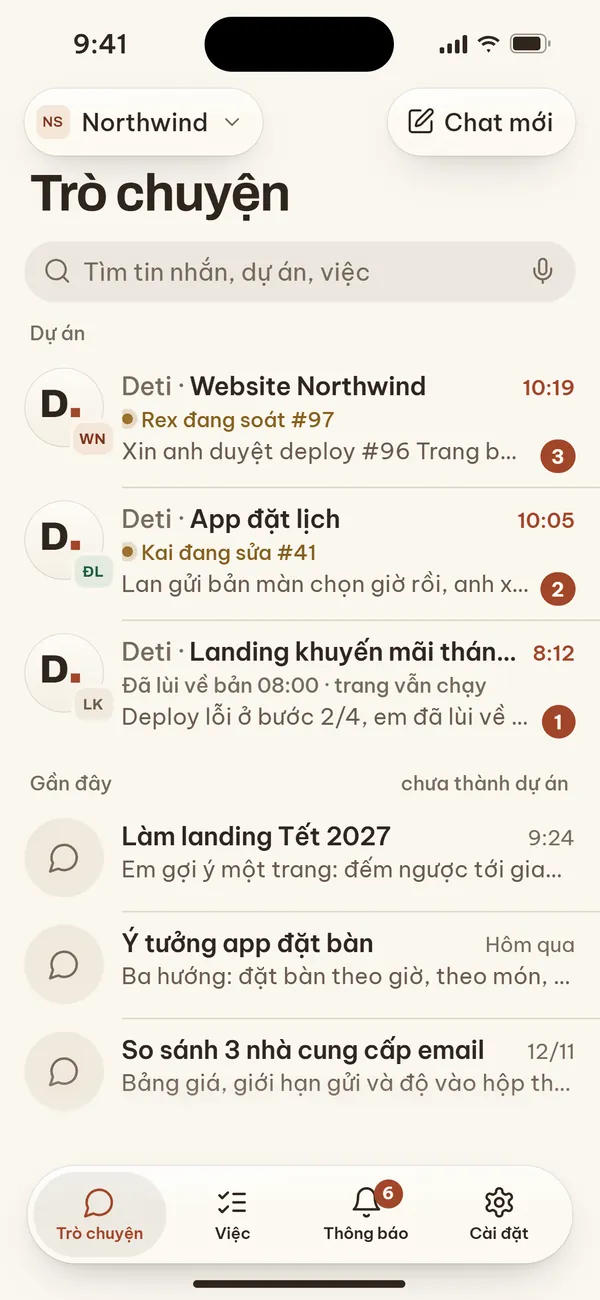
One private thread per project
Each thread is bound to one project's working lane, so replies about different projects never get mixed up. Deti answers you here and never replies into a customer's group chat.

Deti Chat is a private line between you and your company's Deti: one thread per project, deploy approvals with Face ID straight from a notification, and progress right on the lock screen.
Installed through Apple's TestFlight. You need your company's Deti server to connect.
What Deti is
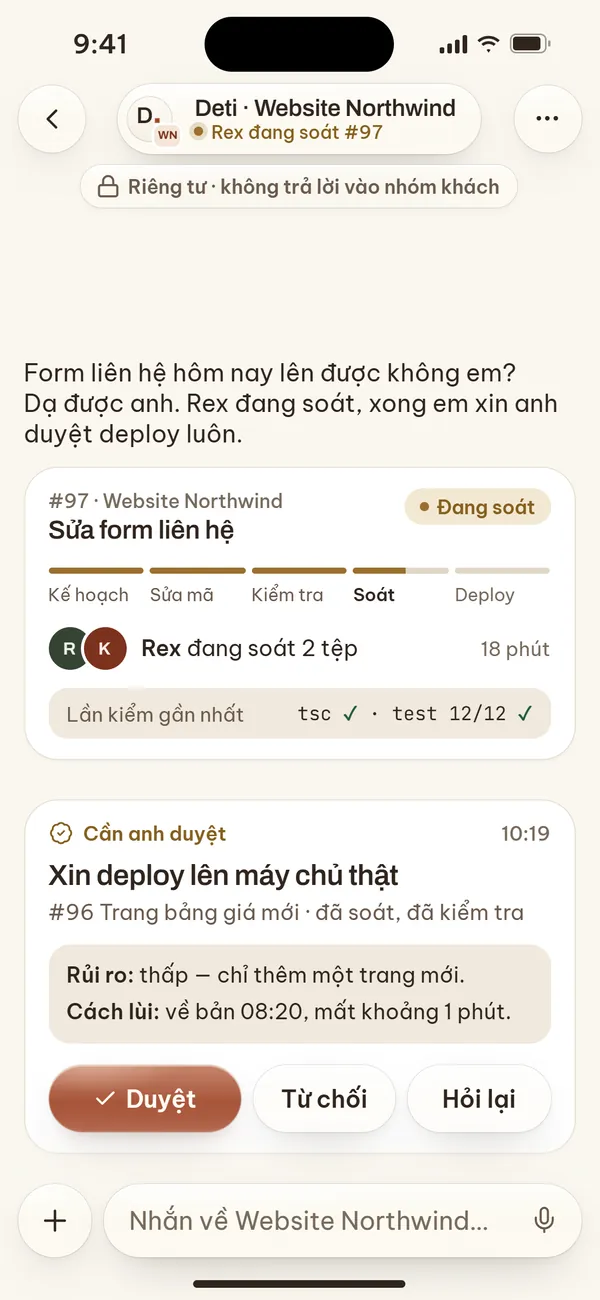
Deti is a self-hosted AI agent. It takes requests in plain words, opens a task and hands it to a team of AI agents that plan, write code, test and review, then asks a person with authority to approve before anything is deployed.
Source code, chat history and credentials stay on your company's server. There is no hosted service in between.
Every project has its own working session. A lead agent plans and calls helpers to code, review, research and write.
Commits, deploys and any action on a live server stop and wait for a named person to approve.
A task only closes when the latest test run passes. Progress and results come back in plain language.
What Deti Chat adds
Each thread is bound to one project's working lane, so replies about different projects never get mixed up. Deti answers you here and never replies into a customer's group chat.
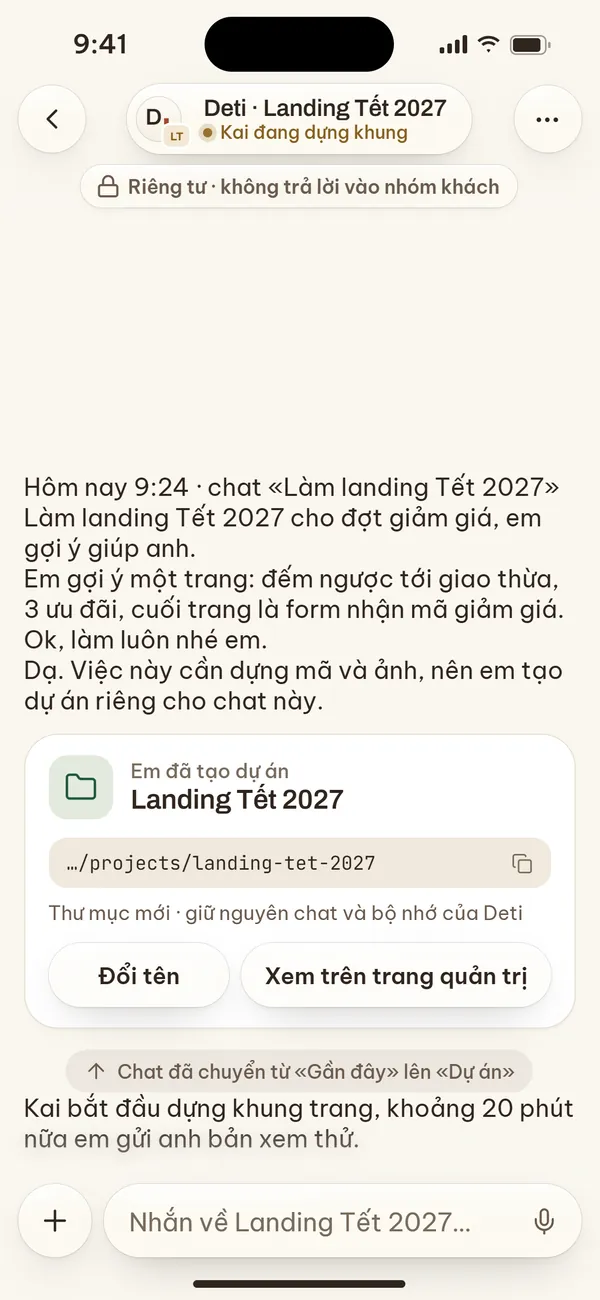
Ask a quick question or sketch an idea in a new chat. When the work needs code and files, Deti creates a project, moves the chat into Projects and keeps its history.
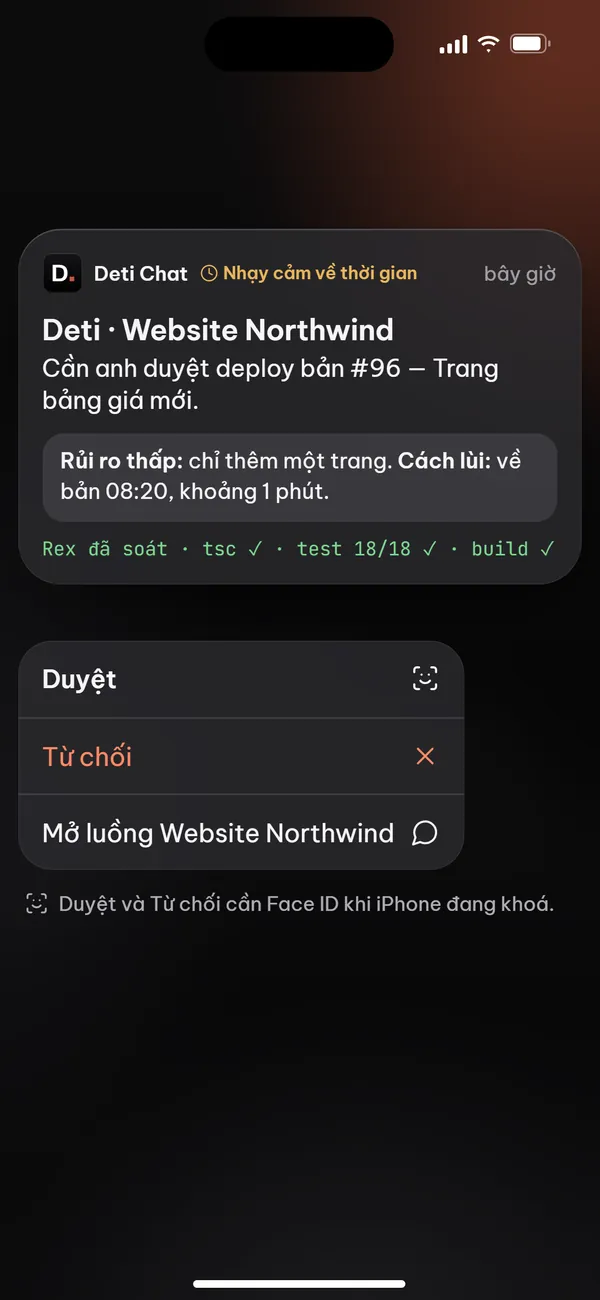
Long-press a notification to approve or decline without opening the app. While your iPhone is locked, iOS asks for Face ID before your decision is sent.
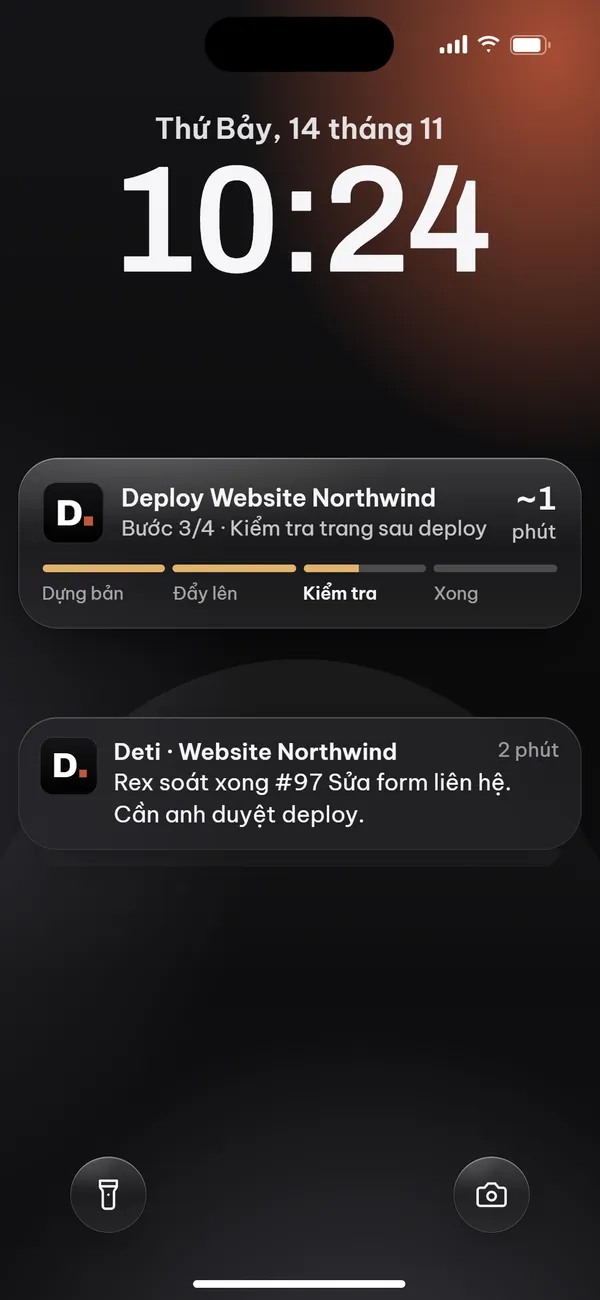
While Deti deploys, progress shows as a Live Activity on the lock screen and in the Dynamic Island, step by step, until it is done.
The app downloads new versions in the background and switches over while you are not using it. Every update is digitally signed; the app refuses anything without hstation's signature.
Privacy
Install
Deti Chat is in testing through TestFlight, Apple's app for installing beta versions.
Get TestFlight from the App Store, free of charge.
Open TestFlight in the App StoreOn your iPhone, tap “Install on iPhone” on this page, then “Accept” and “Install” in TestFlight.
Open the Deti admin page, go to Devices → Add device, and scan the QR code with Deti Chat.
Step-by-step guide